

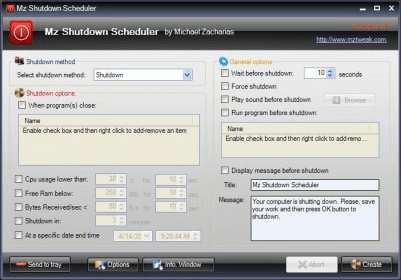
Shutdown Schedulers is a small utility that allows you to schedule your computer's shutdown(s) and/or restart(s). Shutdown Scheduler provides you with an options to shutdown your computer without waiting right next to it. You just need to schedule the shutdown for all the week or for specific days and let Shutdown Scheduler do the job. Mz Shutdown Scheduler is a Windows schedule application that can be used to restart, hibernate (hibernate settings can help you manage your battery power, giving you maximum mobility when you are away from your desk for an extended period of time), log off, shutdown and force shutdown your workstation whenever you like it, depending on the time of a day. Shutdown scheduler also can reboot the system, once your computer CPU or RAM usage has been exceeded. It will also display a custom warning message before the shutdown or reboot process. Shutdown Scheduler application requires .Net framework 2.0 and works on Windows 2000, XP and Vista. I think this scheduler is a very useful utility with which you can easily automate your computer.




Comments